
ERROR
MESSAGE.
An error message on your Gildemeister rarely tells you directly what is broken. Here are the typical classes — and what they mean in day-to-day workshop practice. Specific codes we clarify by phone.
// ERROR MESSAGE · WHAT NOW?
15 entriesTo the list
// RESPONSE
UNDER 24 H
ON BUSINESS DAYS
IN PERSON
FROM A TECHNICIAN
// Error code database · 15 typical codes
If you are looking for
a specific code.
We publish no specific repair steps — error codes are context-dependent, and half-truths often cost workshops four figures. What you find here is the component class behind each typical code. The real diagnosis we do by phone, in 5–10 minutes.
Your code is not on the list? From 30 years of workshop practice we know another hundred codes for Heidenhain, Eltropilot, Sinumerik and Gildemeister-specific PLC messages. Give us a call — we narrow it down by phone.
Filtered by
No entry matches. By phone we narrow down any code: 05221 · 9944770
// Heidenhain · K codes
K7302
Internal Software Error — points to hardware
Code in Detail// Heidenhain · PLC
PLC 200
Tool turret / switching logic
Code in Detail// Heidenhain · PLC
PLC 345
Tool carrier overcurrent — tool turret
Code in Detail// Gildemeister · Safety
Error code 1208
Emergency stop circuit tripped
Code in Detail// Gildemeister · Axis
Error code 4706
Axis plain-text fault
Code in Detail// Heidenhain · Control
EPL1 failure
Control does not boot
Code in Detail// Heidenhain · Control
EPL2 failure
RAM / boot error
Code in Detail// Heidenhain · Supply
Battery low NC
NC backup battery weak
Code in Detail// Gildemeister · Supply
24V missing
Power supply failure
Code in Detail// Gildemeister · Spindle
Spindle timeout
Spindle signal missing
Code in Detail// Gildemeister · Axis
Axis does not move
Feed axis blocked
Code in Detail// Gildemeister · Screen
Screen stays black
Display shows nothing
Code in Detail// Gildemeister · Spindle
Spindle chatter
Chatter marks on the workpiece
Code in Detail// Gildemeister · Hydraulics
Hydraulic pressure too low
Chuck does not clamp
Code in Detail// Eltropilot · Data loss
Parameters lost
Control lost its parameters
Code in Detail// ERROR CODE REFERENCE · GILDEMEISTER
Gildemeister Error Codes at a Glance.
Common error messages and symptoms on Gildemeister lathes — with the affected component area and a link to the diagnosis page. Diagnosis and repair are handled by our workshop; this overview is expressly not a do-it-yourself repair guide.
| Message / Symptom | Component Area | Detail |
|---|---|---|
| Heidenhain EPL1 failure | CNC control | → Diagnosis |
| Gildemeister EPL2 control failure | CNC control | → Diagnosis |
| Heidenhain K7302 Internal Software Error | CNC control | → Diagnosis |
| Error code PLC 200 | Machine control (PLC) | → Diagnosis |
| PLC 345 tool turret | Tool turret / PLC | → Diagnosis |
| Error code 1208 emergency stop | Safety circuit / emergency stop | → Diagnosis |
| Error code 4706 | Machine control | → Diagnosis |
| 24V missing | Power supply | → Diagnosis |
| Battery low NC | NC backup battery | → Diagnosis |
| Spindle timeout | Spindle / drive | → Diagnosis |
| Spindle chatter | Spindle / bearing | → Diagnosis |
| Axis does not move | Axis / drive | → Diagnosis |
| Screen stays black | Operator panel / monitor | → Diagnosis |
| Hydraulic pressure too low | Hydraulics | → Diagnosis |
// Symptom instead of a part number?
“Error code K7302” is not a part — it is a clue.
Workshop managers describe problems in plain language, not in part numbers. That is exactly what we are here for: we listen first, narrow it down by phone and then propose a specific part or a repair.
// IMPORTANT FIRST
We deliberately do not publish a public list of specific error codes (Heidenhain, Sinumerik, manufacturer-specific) — they are context-dependent, machine-specific and often misleading without the exact constellation. Instead of a code table full of half-truths, we give you the four typical fault classes we have met in 30 years of workshop practice — and say honestly what can be derived from them.
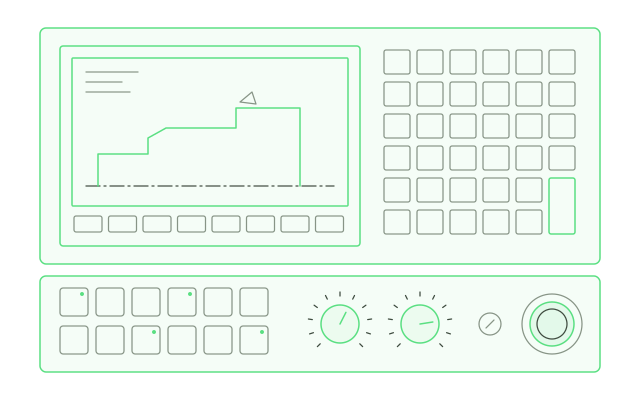
// FOUR TYPICAL FAULT CLASSES
What usually sits
behind the codes.
// CLASS 01
Voltage & Power Supply Faults
Codes such as “BATTERY LOW NC”, “24V MISSING”, “SUPPLY FAILURE” or a black screen after a voltage drop. Sounds harmless — but it can mean data loss on the control.
Checklist and tip
// What we check: NC backup battery · 24V power supply · bridge rectifier · fuses in the control cabinet
Tip: back up parameters and NC programs before every repair — the control can lose them.
// CLASS 02
Axis and Spindle Faults
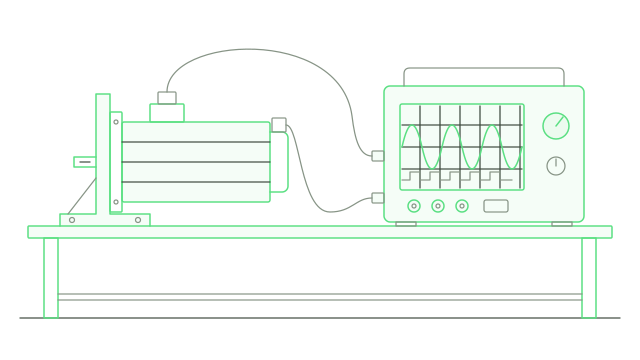
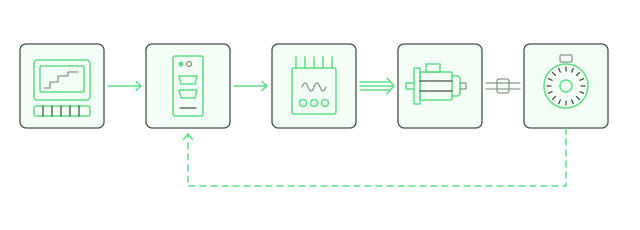
Codes such as “SPINDLE TIMEOUT”, “AXIS NOT MOVING”, “ENCODER ERROR”, “FOLLOWING ERROR AXIS Z”. The control sees a problem in a motion axis — the code rarely says what is causing it.
Checklist and tip
// What we check: encoder & encoder cable · drive control · servo motor · mechanical coupling · spindle bearings
Tip: with intermittent axis faults it is often the cable or the encoder, not the mechanics.
// CLASS 03
Hydraulic and Coolant Faults
Codes such as “PRESSURE TOO LOW”, “COOLANT LOW”, “CHUCK FAULT”. The machine measures a pressure or level anomaly and stops for safety reasons.
Checklist and tip
// What we check: hydraulic pump · pressure sensor · float switch · seals · hoses · clamping cylinder
Tip: before any repair — sometimes it is only the sensor, not the hydraulic system.
// CLASS 04
Control and Software Faults
Codes such as “PARAMETER MISSING”, “SYSTEM ERROR”, “CRC CHECK ERROR”, or the machine no longer boots through. Sounds like software — is often a hardware defect on the main board.
Checklist and tip
// What we check: NC main board · memory battery · EPROM · data backup · component defects
Tip: EPL/EP controls from the 1990s — the electrolytic capacitors have reached the end of their life.
// WHAT TO DO WHEN AN ERROR MESSAGE APPEARS
Four steps
in the right order.
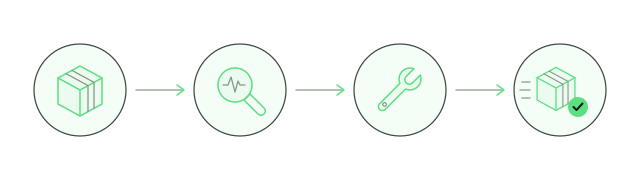
// 01
Stop & secure
Stop the machine safely, photograph the code on the display, note any follow-up messages.
// 02
Back up data
Back up NC programs and parameters before anything happens in the control cabinet. Now at the latest.
// 03
Call us
+49 5221 9944770 — we analyse by phone. Code, machine, what happened before. Narrowing it down by phone costs nothing.
// 04
Clarify the repair
We propose a repair, a procurement route or an on-site visit. We discuss the economics beforehand.
// ERROR CODE · INQUIRY
DESCRIBE
YOUR CODE.
Machine, code number and what happened before the fault — that is enough for us. We reply within 24h on business days, personally from a technician.
- Reply within 24h on business days
- Personally from a technician — no bots, no call centre
- Your inquiry never leaves our workshop
// RELATED TOPICS
// Frequently asked questions
Frequently asked questions about Gildemeister error codes
What does an NC backup battery warning on a Gildemeister lathe mean?
The NC backup battery holds the parameters and machine data while the machine is switched off. A warning means the battery has reached the end of its life — NC programs and parameters should be backed up before any loss of power, so that nothing goes missing.
What is the most common reason for a Heidenhain BF screen staying black?
On Heidenhain BF monitors the backlight inverter or the CCFL supply is usually the defective part — rarely the TFT panel itself. A diagnosis on the test bench shows whether repair or replacement is the more economical route.
Are axis faults on a CNC lathe always mechanical problems?
No. With intermittent axis faults the cause is often the encoder, the encoder cable or the drive control — not the axis mechanics themselves. A systematic diagnosis starts with the signals.
Who repairs Heidenhain EPL/EP controls that the manufacturer no longer supports?
ESDI repairs discontinued Heidenhain controls such as EPL1, EP1190, EP3110 and EP3190 at component level in its own workshop in Herford-Elverdissen, Germany — even when the manufacturer has ended support.